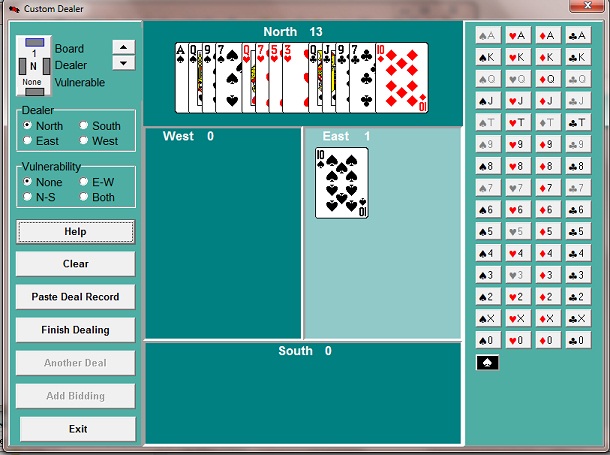
General On this screen you may enter an entire deal or just a partial deal. 1.Add cards to as many hands as you wish. You don’t have to deal even one complete hand. 2.Press “Finish Dealing” to randomly deal the remaining cards, if any. 3.Drag and drop cards from one hand to another, or drag them back to the “deck” on the right, where the card buttons are. 4.Remember to select the Dealer and Vulnerability for this deal. 5.Press "Save Hand" to store the current hand. Generally you will save the hand in the suggested file name and folder. 6.Press “Exit” to return to the main screen. The hand available to play will be the first hand saved in you Custom Hand file.
Selecting a Hand Select a hand by clicking on the appropriate area of the screen. The selected hand area will appear light green..
|
|